If you want your site to look like exactly the ‘Gullu’ demos then you have to import the demo content successfully.
nnnnWe integrated the One Click Demo installation feature to ‘Gullu’ WordPress theme. You can import all demo content just by a click only.
nnnnOneClick Demo Installation Process
nnnn- Install the theme and activate it. Then install all the required plugins. Make sure all the required plugins are activated.
- After activating all the required plugins navigate to Appearance > ‘One Click Demo Import’ menu from the WordPress dashboard.
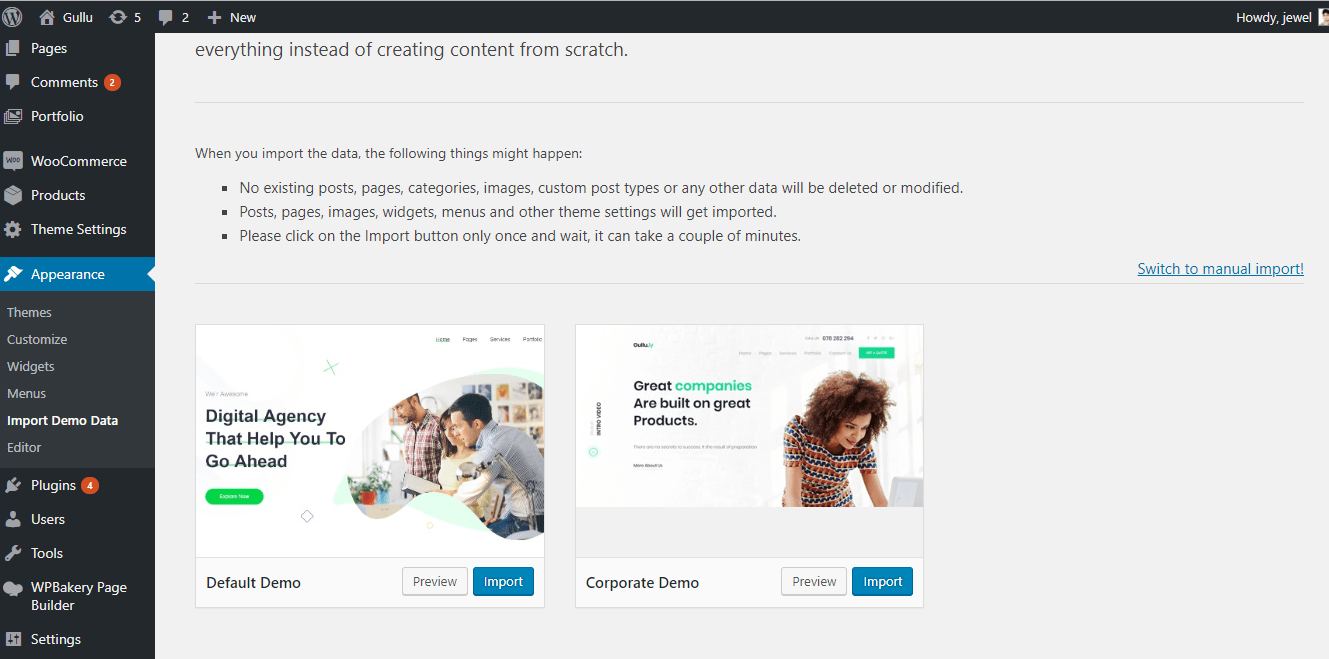
Note: If the option data do not import then you have to import it manually. Navigate to ‘Theme Settings > Backup’. Then copy-paste the backup string here and click on the Import a Backup button. You will find the backup string in the options.txt file.
nnnn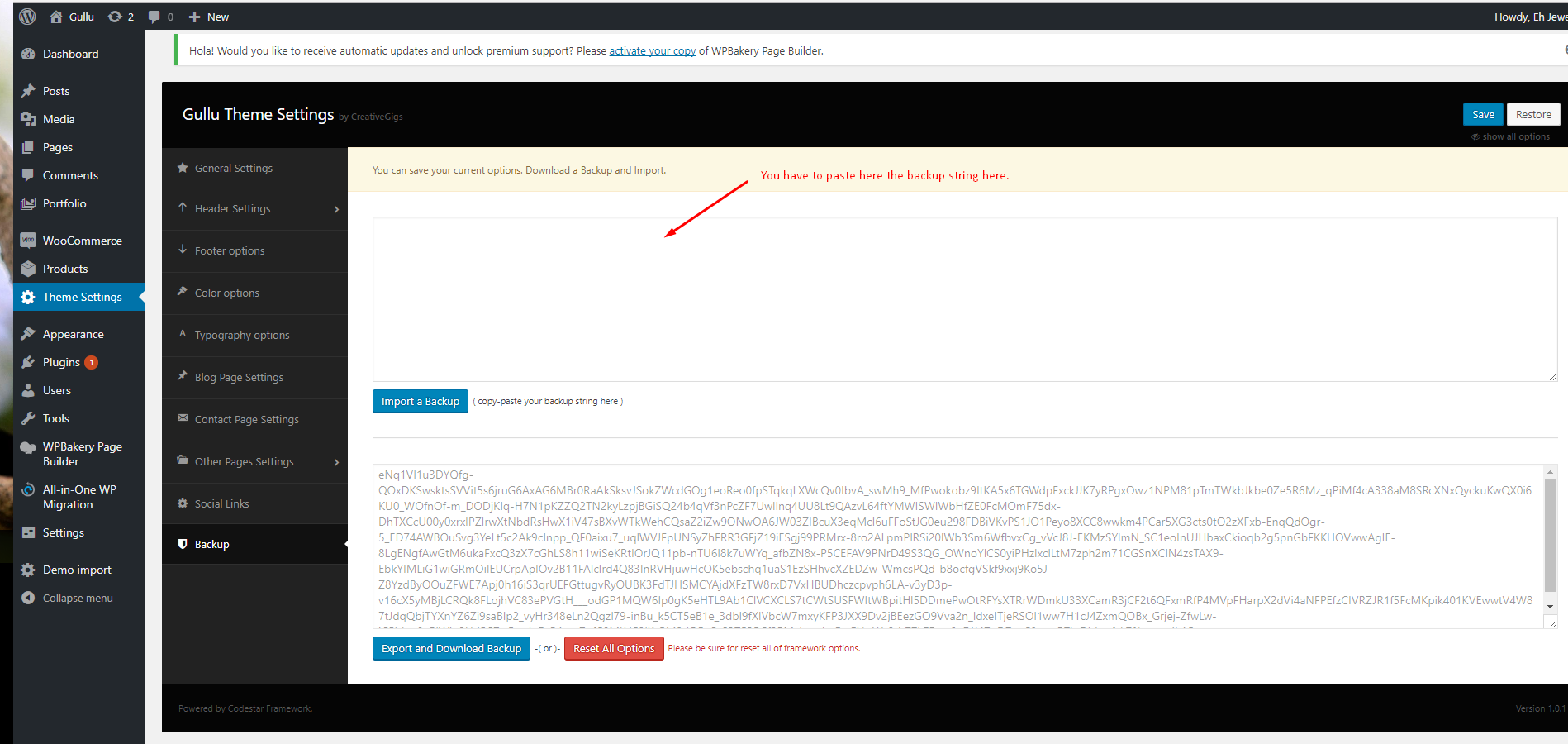
The recommended method to import the demo content.
nnnnIf you failed to import the demo content by one click then you have to follow the below steps to import the demo content manually. You will get all demo content data with the theme package. You will find the demos in ‘gullu>inc/demo{disired-demo-number} this path.
nnnn- Navigate to Tools > Import then install the WordPress plugin and click on the ‘Run Importer’. Upload here the ‘theme_content.xml’ file.
- Install the ‘Widget Importer & Exporter‘ plugin to import the demo widgets. Then navigate to Tools > Widget Importer & Exporter and upload here the ‘widget_data.wie’ file.
- Now you have to import the Dental Options as like the demo. Navigate to ‘Theme Settings > Backup’. Then copy-paste the backup string here and click on the Import a Backup button. You will find the backup string in the options.txt file.
Leave a Reply